Download Honeywell Pro 3000 Series Installation Manual (PDF)
Table of Contents
What the Manual Covers
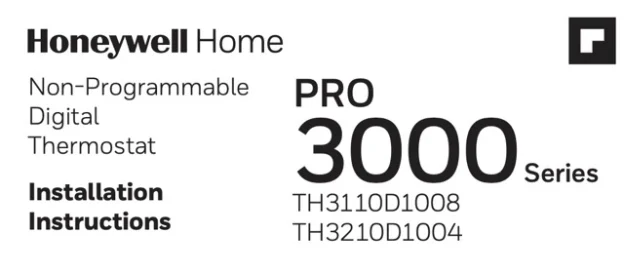
Page 1 labels the product a “Non-Programmable Digital Thermostat” from the “PRO 3000 Series” and lists two models: “TH3110D1008” and “TH3210D1004”. To find yours, “Turn thermostat over to find model number and date code.”
Page 8 carries the colophon: “© 2020 Resideo Technologies, Inc. All rights reserved.” It also adds, “The Honeywell Home trademark is used under license from Honeywell International, Inc. This product is manufactured by Resideo Technologies, Inc. and its affiliates.”
The English text runs pages 1–8 of a 24-page trilingual PDF; French (pages 9–16) and Spanish (pages 17–24) mirror the same layout. Nothing here programs a schedule.
Wallplate Mounting
Page 1 opens with, “Remove the wallplate from the thermostat by pulling from the bottom, then follow directions below for mounting.” The four steps are literal:
- “Pull wires through wire hole.”
- “Position wallplate on wall, level and mark hole positions with pencil.”
- “Drill holes at marked positions as shown below, then tap in supplied wall anchors.”
- “Place wallplate over anchors, insert and tighten mounting screws.”
Two drill bit sizes decide the job: 3/16-inch for drywall, 7/32-inch for plaster. The manual also asks you to tap the supplied anchors into the drilled holes before setting the wallplate back over them.
Pro 3000 Series Terminal Designations
Page 2 lists terminals per model. Read them once; every wiring row on page 3 references them by letter.
| Terminal | Manual definition |
|---|---|
| Rc | “24 Vac power from cooling transformer” |
| R | “24 Vac power from heating transformer” |
| C | “24 Vac common. For 2 transformer systems, use common wire from cooling transformer.” |
| W | “Heat relay” |
| Y | “Compressor contactor” |
| G | “Fan relay” |
| O | “Changeover valve energized in cooling” |
| B | “Changeover valve energized in heating” |
The TH3210D list on the same page keeps C, O, B, G, Y as printed, drops W, splits R into a single “24 Vac power” source (no Rc), and adds three posts unique to that board: Aux “Auxiliary heat relay”, E “Emergency heat relay”, and L “Sends output when set to Em. Heat”. TH3110D installation covers every conventional row; TH3210D is the two-stage heat-pump variant with auxiliary and emergency heat.
Wiring for Conventional Systems
Page 3 lays out seven configurations for Pro 3000 thermostat wiring; five are conventional systems on the TH3110D board. The bracketed numbers in the tables below refer to the nine notes collected in the Wiring Notes section. TH3110D installation covers all five conventional rows.
| Configuration | Terminals used | Notes |
|---|---|---|
| 1H/1C System (1 transformer), TH3110D | Rc · R · W · Y · G · C | R [R+Rc joined by jumper]; [1, 3] |
| 1H/1C System (2 transformers), TH3110D | Rc · R · W · Y · G · C | [1, 2, 3, 4] |
| Heat Only System, TH3110D | Rc · R · W · C | R [R+Rc joined by jumper]; [1, 3] |
| Heat Only System with Fan, TH3110D | Rc · R · W · G · C | R [R+Rc joined by jumper]; [1, 3] |
| Cool Only System, TH3110D | Rc · R · Y · G · C | R [R+Rc joined by jumper]; [1, 3] |
Wire gauge comes before the diagrams: “Wire specifications: Use 18- to 22-gauge thermostat wire. Shielded cable is not required.”
TH3210D Heat Pump Wiring
Page 3 also covers two heat pump configurations. The TH3110D handles 1H/1C heat pumps; TH3210D heat pump wiring is required for two-stage auxiliary heat.
| Configuration | Terminals used | Notes |
|---|---|---|
| 1H/1C Heat Pump, TH3110D | Rc · R · W · Y · G · C · O · B | R [R+Rc joined by jumper]; W [W+Y joined by jumper]; [1, 3, 5, 6, 7] |
| 2H/1C Heat Pump, TH3210D | R · Y · Aux · E · G · C · O · B · L | [1, 3, 5, 8, 9] |
On the 1H/1C row, W is not wired on its own — the manual prints it as a field jumper to Y. Pro 3000 Series terminal designations matter here: misreading W for Y2, or O for B, is the most common miswire.
Wiring Notes
Page 3 closes with nine numbered notes keyed to the diagrams:
- “Power supply. Provide disconnect means and overload protection as required.”
- “Remove jumper for 2-transformer systems.”
- “Optional 24 Vac common connection.”
- “Common connection must come from cooling transformer.”
- “Use either O or B terminals for changeover valve.”
- “Use a small piece of wire (not supplied) to connect W and Y terminals.”
- “Set fan operation switch to Heat Pump (see page 5) and configure system type for heat pump (see page 6).”
- “L terminal sends a continuous output when thermostat is set to Em. Heat. Connect to Honeywell Home zoning panels to switch the panel to Emergency Heat.”
- “Install field jumper between Aux and E if there is no emergency heat relay.”
Thermostat Mounting and the Fan Operation Switch
Page 4 walks you back onto the wallplate: “Align the 4 tabs on the wallplate with corresponding slots on the back of the thermostat.” then “Push gently until the thermostat snaps in place.” and finally “Plug wall opening with non- flammable insulation.”
The same page then sets the fan operation switch on the TH3110D board. Gas or oil installs leave it in the factory position: “For gas or oil heating systems, leave the fan operation switch in this factory-set position.” Heat pump or electric heat flips it: “Change the switch to this setting for heat pump or electric heat systems.”
Installer Setup
Page 5 lists seven Pro 3000 installer setup functions on the non-programmable board. To enter setup, press and hold both arrow keys until the display changes; the up key advances the function, the down key changes the setting, and both together exit and save.
| Func. | Setting | Options |
|---|---|---|
| 1 | System type (TH3110D only) | 0 Gas, oil or electric heat with air conditioning · 1 Heat pump (5 minute compressor off time in heating and cooling) |
| 5 | Heating cycle rate (CPH), TH3110D only | 5 gas or oil under 90% · 1 steam or gravity · 3 hot water or 90%+ · 9 electric · others 2, 4, 6, 7, 8, 10, 11, 12 |
| 6 | Auxiliary heat cycle rate (CPH), TH3210D only | Same option list as function 5 |
| 8 | Emergency heat cycle rate (CPH), TH3210D only | 9 electric emergency · 1 steam or gravity · 3 hot water or 90%+ · 5 gas or oil under 90% · others 2, 4, 6, 7, 8, 10, 11, 12 |
| 9 | Compressor cycle rate (CPH) | 3 Recommended for most compressors · other options 1, 2, 4, 5, 6 |
| 14 | Temperature display | 0 Fahrenheit · 1 Celsius |
| 15 | Compressor protection | 5 Five-minute compressor off time · other options 0, 1, 2, 3, 4 |
Function 15 has a plain-language description on the same page: “Forces the compressor to wait a few minutes before restarting, to prevent damage. During the wait time, the message Cool On or Heat On (heat pumps only) will flash on the display.”
Because the PDF’s text layer drops bold, every option above is listed unmarked. The printed manual marks factory settings in bold on page 5; consult the paper copy before changing anything.
Installer System Test
Page 6 walks the installer through a four-number system test. To start, “Set SYSTEM switch to Heat.” and press the down arrow to bring each system online against the table below; press again until systems turn off. The TH3210D adds one more pass: “Set SYSTEM switch to Em Heat and repeat steps 2-3 above (TH3210D only).” Cool repeats the same cycle. Holding both arrow keys together ends the test at any time.
| Test | System | Status codes |
|---|---|---|
| 10 | Heating system | 0 Heat and fan off · 1 Heat turns on · 2 Auxiliary heat turns on (TH3210D only) |
| 20 | Emergency heat | 0 Heat and fan off · 1 Heat and fan turn on · 2 Auxiliary heat turns on |
| 30 | Cooling system | 0 Compressor and fan off · 1 Compressor and fan turn on |
| 70 | Thermostat information (for reference only) | 71–72 software revision major / minor · 73–74 configuration identification major / minor · 75–76 production date code week / year |
Page 8 pairs the test with a warning: “CAUTION: EQUIPMENT DAMAGE HAZARD Compressor protection is bypassed during testing. To prevent equipment damage, avoid cycling the compressor quickly.”
Troubleshooting
Page 7 is a six-symptom checklist. “Most problems can be corrected quickly and easily.”
- Blank display — check the circuit breaker, the power switch at the heating and cooling system, the furnace door, and that “fresh AA alkaline batteries are correctly installed (see page 2)”.
- Heat or cool does not respond — set SYSTEM to the matching mode, verify the setpoint is above (heat) or below (cool) the indoor temperature, then “Wait 5 minutes for the system to respond.”
- Setpoint does not change — the manual prints the accepted range as Heat “40° to 90°F (4.5° to 32°C)” and Cool “50° to 99°F (10° to 37°C)”.
- Cool On or Heat On flashes — “Compressor protection feature is engaged. Wait 5 minutes for the system to restart safely, without damage to the compressor.”
- Cool On absent — set the System switch to Cool, set the temperature below current room temperature.
- Heat On absent — set the System switch to Heat, set the temperature above current room temperature.
Specifications
Page 7’s specifications block prints these ratings:
- Temperature ranges: Heat 40° to 90°F (4.5° to 32°C); Cool 50° to 99°F (10° to 37°C)
- Operating ambient: 32° to 120°F (0° to 48.9°C)
- Shipping: -20° to 120°F (-28.9° to 48.9°C)
- Humidity: 5% to 90% (non-condensing)
- Dimensions: 3-13/16 in. H x 5-3/8 in. W x 1-1/4 in. D (97 mm H x 137 mm W x 32 mm D)
- Input: 24 V~ @ 60 Hz, 1.0 A
| System | Voltage (50/60 Hz) | Running current |
|---|---|---|
| Heat (1st stage) | 20-30 Vac | 0.02-1.0 A |
| (Powerpile) | 750 mV DC | 100 mA DC |
| Emergency heat | 20-30 Vac | 0.02-1.0 A |
| Auxiliary heat | 20-30 Vac | 0.02-1.0 A |
| Cooling | 20-30 Vac | 0.02-1.0 A |
Safety Notices
Page 8 stacks four cautions at the foot of the guide. “CAUTION: ELECTRICAL HAZARD Can cause electrical shock or equipment damage. Disconnect power before beginning installation.” The equipment-damage caution quoted above appears again here, alongside the mercury and e-waste notices that follow.
Two more notices round out the safety page: “If this product is replacing a control that contains mercury in a sealed tube, do not place the old control in the trash.” — the mercury notice — and “The product should not be disposed of with other household waste. Check for the nearest authorized collection centers or authorized recyclers.” — the electronic waste notice.
Support contact on the same page: “For assistance with this product, please visit customer.resideo.com. Or call Customer Care toll-free at 1-800-468-1502.”
FAQ
Which Pro 3000 model is right for my system?
TH3110D1008 covers conventional 1H/1C and 2H/2C installations plus 1H/1C heat pumps using its W and Y terminals. TH3210D1004 adds a dedicated Aux relay and E (emergency heat) terminal for 2H/1C heat pumps with a backup heat source.
Do I need a C wire on the Pro 3000?
The manual describes C as “Optional 24 Vac common connection”, with two-transformer systems using the cooling side: “For 2 transformer systems, use common wire from cooling transformer.” Batteries provide primary or backup power if C is not run.
What does the L terminal do on the TH3210D?
Per wiring note [8], the L post is used for Honeywell Home zoning panels: it sends a continuous output when the thermostat is set to Em Heat, which lets the panel switch to emergency-heat operation.
How do I set up a heat pump on the Pro 3000?
Two switches cooperate. First, set the physical fan operation switch on the TH3110D board to Heat Pump (page 4). Then, in Pro 3000 installer setup, set function 1 to 1 so the thermostat knows to run 5-minute compressor off time in both heating and cooling.
Why won’t my thermostat turn on?
Work through the page 7 checklist. “Display is blank” starts with the circuit breaker and the “power switch at heating & cooling system”. Confirm the furnace door is shut, then check that “fresh AA alkaline batteries are correctly installed”.
What temperature range can the Pro 3000 be set to?
Heat settings run 40° to 90°F (4.5° to 32°C). Cool settings run 50° to 99°F (10° to 37°C). Setpoints outside these bounds simply won’t accept a change.