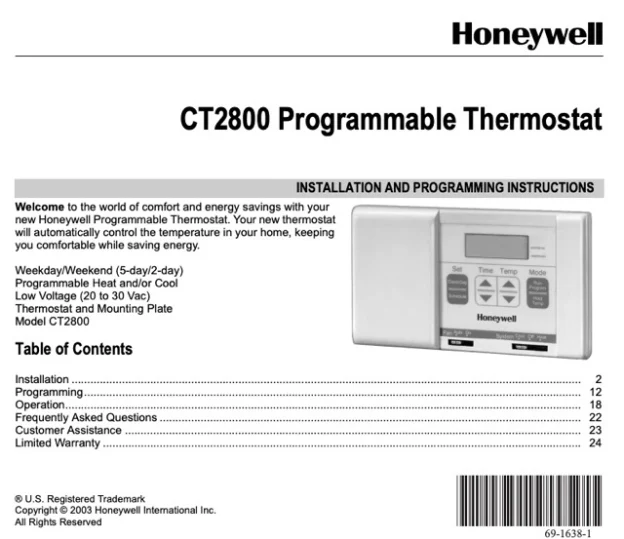
These notes follow the official Honeywell CT2800 Programmable Thermostat installation instructions (document 69-1638) so you can install, wire and program this weekday/weekend thermostat without guessing. The CT2800 is a 5-2 day, single-stage model, so the compatibility check and the DIP-switch setup matter. Every step below is taken from the printed document and labeled with its step number, and the PDF is linked here. Work with the power off and confirm the manual against your own system.
Download the official Honeywell CT2800 Installation Instructions (PDF)
Table of Contents
- What the CT2800 Is
- Step 0: Check Compatibility First
- Before You Start
- Installing the Thermostat
- Wiring the CT2800
- Programming the Weekday/Weekend Schedule
- Controls and Overrides
- In Case of Difficulty
- Specifications
- FAQ
What the CT2800 Is
The CT2800 is a digital, wall-mounted programmable thermostat for a low-voltage (20 to 30 VAC) central heating and/or cooling system. Its key traits, straight from the document:
- Weekday/Weekend (5-2 day) programming. One schedule for Monday to Friday, a separate one for Saturday and Sunday.
- Up to four periods a day. Wake, Leave, Return and Sleep on weekdays; Wake and Sleep on weekends.
- Single-stage heat and/or cool. It controls one stage of heating and one stage of cooling.
- Two AA alkaline batteries. They power the clock and program.
Step 0: Check Compatibility First
The instructions open with a compatibility chart, because the CT2800 only fits certain systems. If yours is not listed as compatible, the chart names an alternate Honeywell model instead (Step “Verify You Have Correct Thermostat”).
| Heating/Cooling system | Compatible? | Alternate model |
|---|---|---|
| Conventional: single-stage warm-air furnace or hot water | Yes | — |
| Electric baseboard heat (120 to 240V) | No | CT1950 (240V) |
| Steam boiler with radiators | No | CT3600 |
| Heat pump (no auxiliary/backup heat) | No | CT3600 |
| Multistage heat pump (with auxiliary/backup heat) | No | CT3611 |
| Multistage conventional (more than one stage) | No | See a contractor |
Read this carefully: the CT2800 is not for heat pumps, steam, line-voltage electric baseboard, or multistage systems. If a label such as O, B, W2, H2 or Y2 is on your old thermostat, the instructions stop the installation and point you to an alternate model.
Before You Start
- You need two AA alkaline batteries (Honeywell recommends Energizer), a screwdriver, a drill with a 3/16-inch or 7/32-inch bit, a pencil, a level, wire cutter/stripper, and electrical tape.
- Confirm your heating and cooling equipment works first. A pre-existing problem can outlive the new thermostat.
- Do not run cooling when the outdoor temperature is below 50°F (10°C), which can damage the compressor.
- If your old thermostat contains mercury in a sealed tube, the document’s Mercury Notice requires you to recycle it, not bin it.
Installing the Thermostat
The document walks through numbered steps. In order:
- Step 2, remove the old thermostat. Turn off power at the furnace or the fuse/circuit-breaker panel. Take off the old cover and mounting plate without disconnecting the wires, then label each wire with the terminal letter (not the color). If the old unit has a C/C1 clock wire, six or more wires, only three wires, five wires, or unused extra wires, jump to the special-wiring notes first.
- Step 3, mount the plate. Separate the plate from the body with a coin, level it, mark the holes, and drill (3/16-inch for drywall, 7/32-inch for plaster or wood). Tap in the anchors for drywall, feed the wires through, and tighten the screws.
- Step 4, set it for your heating type. Use the FUEL switch on the back for F (gas/oil) or E (electric), then set DIP switches 1 and 2 per the heating-system table (default 1-On/2-On is for a standard warm-air gas/oil furnace; 1-Off/2-On for high-efficiency or hot water; 1-On/2-Off for electric). Turn DIP switch 3 to Off if you want Celsius instead of Fahrenheit.
- Step 6, mount. Line up the top tabs and snap the bottom in.
- Step 7, batteries. With the System switch Off, insert two AA alkaline batteries with correct polarity. The display lights up with a flashing time, meaning it is ready to program.
Wiring the CT2800
Step 5 matches each labeled wire to the terminal with the same letter on the back of the thermostat. The CT2800 uses five terminals.
| Terminal | What it does |
|---|---|
| R | Power (heating transformer) |
| Rc | Power for cooling |
| W | Heat call |
| Y | Cooling call |
| G | Fan |
The instructions also state:
- No C wire. The CT2800 does not use the C terminal. Tape off any unused or clock (C/C1) wires so they cannot touch.
- R / Rc jumper. A metal jumper sits between R and Rc out of the box. Leave it for a single-transformer system; remove it only for a five-wire system, then run each power wire to its own terminal.
- Old labels that differ. The cross-reference table maps old terminals such as R, RH, 4 or V to the new R; Rc or R to Rc; W, W1 or H to W; Y or Y1 to Y; and G or F to G. A wire on O or B, or on W2, H2 or Y2, means stop and use another model.
Programming the Weekday/Weekend Schedule
Heating and cooling are programmed separately. Set the System switch to Heat for the heating schedule, then to Cool for the cooling schedule. To start, press SCHEDULE; use the Time buttons to set a period’s time and the Temp buttons to set its temperature, then advance to the next period. Set the weekday periods (Wake, Leave, Return, Sleep), then the weekend (Wake, Sleep), and press RUN to finish.
The document supplies suggested values. For heating: Wake 6:00 AM 70°F (21°C), Leave 8:00 AM 62°F (16.5°C), Return 6:00 PM 70°F, Sleep 10:00 PM 62°F. For cooling: Wake 6:00 AM 78°F (25.5°C), Leave 8:00 AM 85°F (29.5°C), Return 6:00 PM 78°F, Sleep 10:00 PM 82°F (28°C).
A few rules from the text: setpoints cannot go below 45°F (7°C) or above 88°F (31°C); if you skip programming it, the thermostat runs heating at 68°F (20°C) and cooling at 78°F (26°C) around the clock; and an unprogrammed weekend keeps the weekday Sleep temperature until Monday’s Wake.
Controls and Overrides
- System switch. Cool, Off or Heat.
- Fan switch. Auto runs the fan only during heating or cooling; On runs it continuously.
- Temporary override. Press Temp warmer or cooler; a TEMPORARY arrow shows and the change lasts until the next period.
- Permanent hold. Press HOLD; “HLd” appears and the temperature is held until you cancel with RUN. Use it for a vacation.
- Check programs. Press SCHEDULE repeatedly to review times and temperatures; press RUN to resume.
The display shows a SYSTEM ON arrow whenever the thermostat is calling for heating or cooling.
In Case of Difficulty
This is the document’s own “If… Then…” list. It is short and specific, so read it before deciding the thermostat is defective.
| If | Then (what the manual says) |
|---|---|
| Display does not come on | Confirm fresh batteries are installed correctly; if not, set System to Off, insert the batteries backward for 5 to 10 seconds, then reinstall them the right way. |
| Flashing “bAt Lo” | Batteries are low. Replace them; if it continues, repeat the backward-insert reset. |
| Setpoint stops at 45°F or 88°F | You hit the programming limit; the range is 45°F to 88°F (7–31°C). |
| Temperature changes at the wrong time | Recheck that period’s AM/PM, and the current day and time. |
| Heat or cool will not start | Set the System switch correctly, check the fuse/breaker and connections, replace batteries if blank, and allow the built-in cooling delay (about 5 to 10 minutes) before the compressor starts. |
| Furnace short-cycles | Adjust the anticipator screws on the back of the thermostat. |
| Displayed room temperature looks off by about 1° | Seal the wall hole to stop drafts; small differences are normal and can last up to 30 minutes during recovery. |
Specifications
- Programming: Weekday/Weekend (5-2 day); up to four weekday periods and two weekend periods.
- System control: Single-stage heat and/or cool.
- Voltage: 20 to 30 VAC low-voltage systems.
- Setpoint range while programming: 45°F to 88°F (7°C to 31°C).
- Unprogrammed default: heat 68°F (20°C), cool 78°F (26°C).
- Cooling delay: built-in, about 5 to 10 minutes.
- Power: two AA alkaline batteries.
- Terminals: R, Rc, W, Y, G; C is not used.
- Not compatible with: heat pumps, steam, multistage systems, and 120/240V electric baseboard.
- Warranty: 1-year limited (excludes battery); Honeywell Customer Care 1-800-468-1502.
FAQ
How long is the CT2800 installation?
The document lists seven steps: prepare, remove the old unit, mount the plate, set the fuel and DIP switches, wire, mount the body, and install the batteries, then program the schedule.
Which terminals does the CT2800 use?
R, Rc, W, Y and G. It does not use a C wire, and a pre-installed jumper links R and Rc unless you have a five-wire system.
Can I install the CT2800 on a heat pump?
No. Its compatibility chart lists heat pumps, steam, multistage systems and 120/240V electric baseboard as not compatible, and points to models such as the CT3600 instead.
What do the DIP switches do?
DIP switches 1 and 2 set the heating-system type and the FUEL switch sets gas/oil (F) or electric (E). DIP switch 3 changes the display between Fahrenheit and Celsius.
What happens if I never program it?
It runs a fixed default: heating at 68°F (20°C) and cooling at 78°F (26°C) all day, per the instructions.