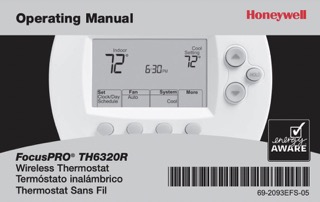
Download the Honeywell FocusPro TH6320R Operating Manual (PDF)
The file holds 21 pages of English. The contents list points to Spanish at page 20, French at page 40 and regulatory information at page 60, none of which are in this file. The inside cover carries the Quick Reference Card, which pulls out from under the body, and the help line 1-800-468-1502. It also warns against running cooling when the outdoor temperature is below 50°F (10°C), to prevent possible compressor damage.
Table of Contents
- What the FocusPro TH6320R Is
- Controls and Display
- Setting the Time and Day
- Fan, System and Auto Changeover
- The Preset Schedule
- Editing, Overriding and Holding
- Remote Control and Outdoor Sensor
- Special Features and Batteries
- In Case of Difficulty
- Frequently Asked Questions
What the FocusPro TH6320R Is
Page 2 reduces the setup to four steps: set the time and day, which the booklet marks as required for proper operation; select the fan setting; select the system setting; and check the program schedules, which are preset to energy-saving levels on the assumption that the household wakes at 6 am, leaves at 8 am, returns at 6 pm and goes to bed at 10 pm. The same page notes that the schedule can be overridden at any time with one-touch temperature control. The contents list runs from programming and operation through to battery replacement, difficulty, warranty and regulatory information, and it contains no installation or wiring section.
The thermostat is the wireless part of the system. It reports a lost radio link as No Signal and restores that link by itself once power returns. The booklet also covers an optional remote control and an optional outdoor air sensor, and treats both as additions rather than requirements.
Controls and Display
Page 3 names five parts. There is the digital display, the battery holder at the side of the body, the up and down temperature buttons and the HOLD button. The last of the five is a row of four function buttons along the bottom, whose labels change with the task and appear on screen just above each button. Those labels are SET CLOCK/DAY/SCHEDULE, SET DAY, SET SCHEDULE, DONE, NEXT, CANCEL PERIOD, CANCEL, MORE and FIND REMOTE, depending on the screen.
Page 4 maps the display field by field.
| Display item | What it shows | Page |
|---|---|---|
| System setting | Heat, Cool, Auto, Off or Em Heat | 7 |
| Fan setting | Auto or On | 6 |
| Current program period | Wake, Leave, Return or Sleep | 8-9 |
| Set Clock/Day/Schedule | Entry point for the clock, the day and the schedule | 5, 9 |
| Current inside temperature | The measured room temperature | – |
| Recovery | Shown while Adaptive Intelligent Recovery is working | 15 |
| Low battery warnings | Thermostat and outdoor sensor cells | 16-17 |
| System status | Heat On or Cool On, flashing during compressor protection | 15 |
| Auxiliary heat | Only for heat pumps with auxiliary heat | – |
| More | Outdoor climate if a sensor is installed, or find a misplaced remote | 14 |
| Current time and day | The clock setting | 5 |
| Temperature setting | The setpoint in use | 9-11 |
Setting the Time and Day
Press SET CLOCK/DAY/SCHEDULE and use the arrows to set the clock. Press SET DAY and use the arrows to select the day of the week. Press DONE to save.
Two notes sit under the steps. If the SET CLOCK/DAY/SCHEDULE option is not displayed, press DONE or CANCEL. If the display flashes Set Clock, the thermostat follows the settings for the weekday Wake period until the time and day are reset.
Fan, System and Auto Changeover
FAN selects Auto or On. In Auto, which the booklet calls the most commonly used setting, the fan runs only when the heating or cooling system is on; on On it runs continuously. Options may vary with the equipment.
SYSTEM selects Heat, Cool, Off, Auto or Em Heat. Heat controls only the heating system and Cool only the cooling system, while Off turns all systems off. Auto lets the thermostat choose heating or cooling according to the indoor temperature. Em Heat applies only to heat pumps with auxiliary heat: it controls emergency and auxiliary heat with the compressor locked out.
Auto changeover is the feature behind Auto, and the booklet gives it to climates where air conditioning and heating are used on the same day. Heat and cool settings must be at least 3 degrees apart, and the thermostat adjusts them to keep that separation. The Auto setting may not appear at all, depending on how the thermostat was installed.
The Preset Schedule
The page heading reads Energy-saving settings for maximum cost savings. The booklet states that the preset can reduce heating and cooling expenses by as much as 33%. Four periods run through the day: Wake at 6:00am, Leave at 8:00am, Return at 6:00pm and Sleep at 10:00pm.
| Period | Heat (Mon-Fri) | Cool (Mon-Fri) | Heat (Sat-Sun) | Cool (Sat-Sun) |
|---|---|---|---|---|
| Wake (6:00 am) | 70°F | 78°F | 70°F | 78°F |
| Leave (8:00 am) | 62°F | 85°F | 62°F, or cancel period | 85°F, or cancel period |
| Return (6:00 pm) | 70°F | 78°F | 70°F, or cancel period | 78°F, or cancel period |
| Sleep (10:00 pm) | 62°F | 82°F | 62°F | 82°F |
The cancel option appears only on the two middle periods of the weekend columns.
Editing, Overriding and Holding
To change a time or temperature, press SET CLOCK/DAY/SCHEDULE and then SET SCHEDULE. Use the arrows to set the weekday Wake time and press NEXT, then the arrows for that period’s temperature and NEXT again. Repeat for Leave, Return and Sleep, press NEXT to reach the weekend periods, and DONE to save and exit. The three buttons on this screen are DONE, CANCEL PERIOD and NEXT, and a note asks you to confirm that the thermostat is set to the system you intend to program, Heat or Cool.
The arrows also work during normal operation. Pressing one adjusts the temperature at once and overrides the current period only; the display shows the new setting with Hold Until and the time that period ends, and CANCEL returns the schedule immediately.
HOLD is the permanent version. It overrides the temperature settings for every period, turning the schedule off so the thermostat can be adjusted by hand. Whatever temperature is set is maintained 24 hours a day until it is changed or CANCEL is pressed.
Remote Control and Outdoor Sensor
An optional remote control can act as a mobile thermostat, holding a comfortable temperature as you move between rooms. While the system responds to temperatures measured at the remote, the display reads Remote has Control, and CANCEL hands control back to the thermostat. The booklet warns that the thermostat may take up to 15 seconds to respond to commands entered at the remote, and refers to a separate Remote Control Operating Manual.
With an outdoor air sensor fitted, MORE shows the outdoor temperature and humidity, and DONE exits. MORE then FIND REMOTE makes a misplaced remote beep for two minutes; pressing anywhere on the display stops the beeping.
Special Features and Batteries
Built-in compressor protection keeps the compressor from restarting too soon after shutdown. It forces a wait of a few minutes, and during that time the display flashes Cool On, or Heat On on a heat pump. Adaptive Intelligent Recovery lets the thermostat learn how long the furnace and air conditioner take to reach the programmed settings. The temperature then arrives at the time you set, and the word Recovery appears while the feature is working.
REPLACE BATTERY begins flashing about two months before the cells are depleted, and the inside cover puts the interval at once a year. Remove the battery holder and fit 2 fresh AA alkaline batteries, and communication with the wireless network resumes within a few minutes. The note adds that batteries inserted within 2 minutes, printed as t2 minutes, save the time and day from being reset, while all other settings stay in memory either way. The outdoor air sensor takes 2 fresh AA lithium batteries and has its own REPLACE BATTERY OUTDOOR warning with the same two-month lead. It is reloaded by taking the sensor off its bracket and removing the cover.
In Case of Difficulty
Page 18 prints two entries in two columns, symptom on the left and action on the right.
| Symptom | What to do |
|---|---|
| Heating or cooling system does not respond |
|
| Screen displays “No Signal” |
Thermostat has lost radio contact with the wireless network (usually because of a power outage). To restore power:
After power is restored, the thermostat will automatically restore wireless communication within a few minutes. |
The warranty runs three years from the date of purchase, excluding the battery, and extends to five years once the product is registered online at www.warranty.Honeywell.com. A defective unit goes back to the place of purchase with a bill of sale, or through Honeywell Customer Care on 1-800-468-1502, which decides whether it is returned to Golden Valley, Minnesota, or replaced. Removal and reinstallation costs are not covered. Canadian owners are given a Toronto address for written enquiries.
Frequently Asked Questions
Do I have to program the thermostat before using it?
No. The thermostat is pre-programmed with energy-saving settings, and only the time and day must be set for proper operation. After that, check the fan setting, the system setting and the schedule.
How far apart must the heat and cool settings be in Auto?
At least 3 degrees. The thermostat adjusts the settings itself to keep that separation, and the Auto setting may be missing entirely depending on how the thermostat was installed.
What is the difference between the arrows and HOLD?
The arrows override only the current period, and the display counts down to the time it ends with Hold Until. HOLD overrides every period and keeps one temperature 24 hours a day until you change it or press CANCEL.
Which batteries does it take?
Two AA alkaline in the thermostat, fitted in the battery holder at the side of the body. The outdoor air sensor takes two AA lithium, a different type, and warns through its own REPLACE BATTERY OUTDOOR message.
Why is Cool On flashing?
The built-in compressor protection is holding the compressor for a few minutes after shutdown, and the message flashes during that wait. On a heat pump the same state shows Heat On.