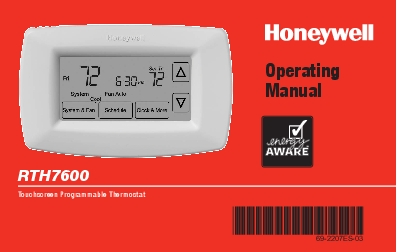
This page is a plain walk-through of the Honeywell 7 day programmable thermostat RTH7600D Operating Manual (document 69-2207EF). The RTH7600D is Honeywell’s touchscreen 7-day model, so the steps here differ from the button-based thermostats you may have used before. Every point is taken from the official manual and labeled with its section so you can check it. The operating manual PDF is linked at the top; read it alongside your unit, especially before you touch any wiring.
Download the official Honeywell RTH7600D Operating Manual (PDF)
Table of Contents
- What the RTH7600D Is
- The Controls and the Screen
- First-Time Setup
- Setting the Clock, Fan and System
- Programming the Daily Schedule
- Overriding the Schedule
- Auto Changeover, Smart Response and Compressor Protection
- In Case of Difficulty
- Batteries and Wiring
- Specifications
- FAQ
What the RTH7600D Is
The RTH7600D is a touchscreen, 7-day programmable thermostat for a central heating and cooling system. Honeywell’s “About your new thermostat” section lists its core capabilities:
- A large touchscreen display with a backlight, readable even in the dark.
- Daily program schedules that balance comfort and energy savings.
- One-touch temperature control that overrides the schedule at any time.
- Precise control that holds the room within 1°F of the temperature you set.
- A furnace filter change/check reminder.
It also offers Smart Response learning, Auto Changeover between heat and cool, and a compressor-protection delay. The unit is a 1-heat / 1-cool thermostat, so it is not meant for multistage systems.
The Controls and the Screen
The RTH7600D has a small set of physical buttons and on-screen softkeys (Quick reference to controls):
- Arrow keys. Adjust the temperature or make selections from the on-screen menus.
- CLOCK. Open the clock (time and day) setting, and the filter reminder.
- SCHEDULE. Open the program schedule.
- SYSTEM & FAN. Switch to the System or Fan menu, then press DONE to save or GO BACK to cancel.
The home screen shows the day, the time, the set temperature, and the current room temperature, plus the active System and Fan settings. Temporary messages include Cool On, Heat On, Recovery (Smart Response is working early) and Wait (compressor protection is delaying the restart).
First-Time Setup
After you mount the thermostat and restore power, Honeywell says it is essentially ready to run: it ships pre-programmed. The only required step is to set the time and day. The defaults it lists are:
- Fan: Auto.
- System: Heat.
- Program: energy-saving levels assuming you wake at 6 AM, leave at 8 AM, return at 6 PM and sleep at 10 PM.
Adjust any of these to your own routine. The manual pre-set schedule is Wake 6:00 AM 70°, Leave 8:00 AM 62°, Return 6:00 PM 70° and Sleep 10:00 PM 62° for heating (with separate cooling setpoints).
Setting the Clock, Fan and System
- Clock. Press CLOCK, then press the up or down arrow to set the time; press and hold an arrow to move faster. Press DONE to save (GO BACK exits without saving). The clock keeps date and time and updates for daylight saving on its own.
- Fan. Press SYSTEM & FAN, then FAN, and choose On (fan runs continuously) or Auto (fan runs only during heating or cooling). Press DONE.
- System. Press SYSTEM & FAN, then SYSTEM, and choose Heat, Cool or Auto. In Auto the thermostat decides whether to heat or cool to reach the setpoint. Press DONE.
Programming the Daily Schedule
You can set four periods each day (Wake, Leave, Return and Sleep) with different temperatures, and different settings for weekdays and weekends. Press SCHEDULE, then for each period set the time with the arrow keys, confirm, and set the temperature. The manual notes you can program the weekday schedule first, then the weekend days. Set the System to Heat or Cool first, because heating and cooling are programmed separately.
Around-the-program economy is the goal: lower the heat and raise the cooling while you are away or asleep, and bring them back for morning and evening.
Overriding the Schedule
For a quick change, press an arrow key. The screen shows Temporary, and the new temperature holds only until the next scheduled period, then the program resumes. To override all periods, use the Hold option; to clear the hold and return to the schedule, press Cancel (or RUN to resume, as the on-screen prompt shows).
Auto Changeover, Smart Response and Compressor Protection
- Auto Changeover. With System set to Auto, the thermostat picks heating or cooling to reach the set temperature, so you rarely change modes by hand. Honeywell cautions against running cooling when the outdoor temperature is below 50°F (10°C).
- Smart Response. The thermostat learns how long your system takes to reach a setpoint and starts early so the temperature is met on time; Recovery appears while it is running ahead of a period.
- Compressor Protection. After a shutdown the thermostat waits a few minutes before restarting the compressor to avoid damage; Wait is shown during this delay.
In Case of Difficulty
This is the manual’s own troubleshooting guidance (In case of difficulty). For a heating or cooling system that does not respond, it lists these checks:
- Press SYSTEM and set it to Heat, then make sure the set temperature is higher than the indoor temperature; or set it to Cool with the temperature lower than indoor.
- Check the circuit breaker and reset it if needed.
- Make sure the power switch at the heating and cooling system is on.
- Make sure the furnace door is closed securely.
- If Wait is shown, the compressor protection timer is active; wait about 5 minutes for the system to restart.
Batteries and Wiring
The RTH7600D runs on two fresh AA alkaline batteries. If your thermostat was wired to run on AC power, batteries are optional and act as backup. Install fresh batteries as soon as LO BATT starts flashing; the warning appears about 30 days before the batteries die, and Honeywell recommends changing them once a year or before a trip longer than a month. Note the disposal guidance: the unit contains a lithium battery that may contain perchlorate material.
This operating manual covers use, not installation. Wiring, terminal layout and system-type setup are in the separate RTH7600 Installation Instructions (69-2206), which Honeywell ships with the thermostat; follow that document and switch off power before touching any wire.
Specifications
- Type: 7-day programmable, touchscreen, 1 heat / 1 cool.
- Display: Large touchscreen with backlight.
- Program: Four periods per day (Wake, Leave, Return, Sleep); weekday and weekend settings.
- Temperature control: Holds within 1°F of the setpoint.
- System modes: Heat, Cool, Auto.
- Fan modes: On, Auto.
- Power: Two AA alkaline batteries (backup if wired for AC power).
- Extras: Smart Response, Auto Changeover, compressor protection, filter reminder.
- Warranty: 1-year limited (excludes battery); Honeywell Customer Care 1-800-468-1502.
- Not for: Multistage systems.
FAQ
Is the RTH7600D a 7-day programmable thermostat?
Yes. It is a 7-day programmable model with four time periods a day (Wake, Leave, Return, Sleep) and separate weekday and weekend settings.
How do I set the clock and day?
Press CLOCK, use the up or down arrow to set the time, then set the day, and press DONE. The clock holds date and time and adjusts for daylight saving on its own.
Why does the screen show “Wait”?
That is compressor protection. The thermostat delays the compressor by a few minutes after a shutdown to prevent damage, then starts normally.
What batteries does the RTH7600D use?
Two fresh AA alkaline batteries. If the unit is wired for AC power, the batteries serve as backup. Replace them when LO BATT flashes.
What is the “Recovery” message?
Recovery means Smart Response is running the system ahead of a scheduled period so the temperature is met at the time you set.
Where do I find wiring for this thermostat?
The operating manual does not include wiring. See the separate RTH7600 Installation Instructions (69-2206) that ships with the unit, and always switch off power before handling wires.