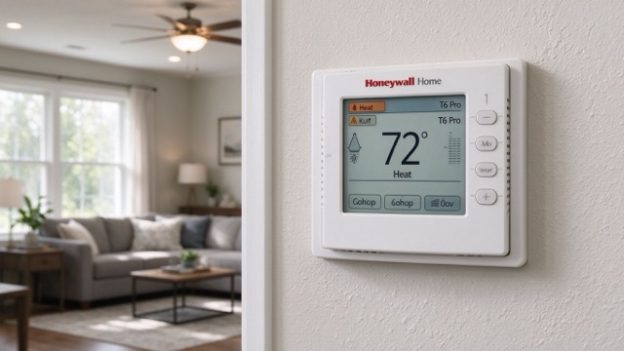
If your Honeywell thermostat is acting up, a reset may help—but you do not always need to restore it to factory settings.
A thermostat that has lost its Wi-Fi connection needs a different fix from one that keeps changing the temperature. Before resetting anything, check the model number and decide what you want to clear.
Which Reset Should You Use?
| What is happening? | What to try |
|---|---|
| The thermostat is not responding | Check the display, batteries if applicable, and power supply first. |
| Wi-Fi stopped working | Open the Wi-Fi or network settings and reconnect. |
| The temperature changes at certain times | Check the programmed schedule and Hold settings. |
| You want to erase saved settings | Find the factory reset procedure for your exact model. |
| The screen is blank | Check the power source before attempting a reset. |
Honeywell thermostats do not all use the same reset procedure. The steps below cover several common Honeywell Home models. If your model is not listed, use the official instructions linked at the end of this guide.
How to Factory Reset a Honeywell Thermostat
A factory reset returns the thermostat to its default settings. Depending on the model, this can remove programmed schedules, Wi-Fi settings, preferences, and other configuration information.
Before proceeding: If you do not know how your heating and cooling system was configured, avoid a factory reset until you have checked the installation instructions. Some systems require specific installer settings to operate correctly.
Honeywell Home T9
These steps apply to the T9 models RCHT9510WF and RCHT9610WF.
- Press the Menu icon on the thermostat.
- Scroll to Advanced Setup and select it.
- Select Reset.
- Choose Factory Reset.
- Follow any remaining prompts on the screen.
Once the reset is complete, you may need to configure the thermostat again.
Honeywell Home T5, T5+ and T6
Honeywell lists specific T5, T5+ and T6 models under its reset instructions, including RCHT8610WF, RCHT8612WF, TH6320WF2 and TH6220WF2.
- Press and hold Menu.
- Press > until you see Reset, and then select it.
- Press > until you see Factory Reset, and then select it.
- Congratulations! You’ve reset your device! You can now configure your device for its new settings, either using the Resideo App, or on the thermostat screen itself.
Check the model number before following these steps. Similar product names do not guarantee identical controls or menus.
Honeywell Smart Wi-Fi 9000
For the listed RTH9580WF, RTH9585WF and TH9320WF models, Honeywell’s instructions give this path:
- Press Menu.
- Press Restore Factory Defaults.
- Select Yes to confirm.
- Congratulations! You’ve reset your device!
Do not use this menu path for another thermostat simply because its screen looks similar.
How to Reset Honeywell Thermostat Wi-Fi
If your thermostat still controls the temperature but cannot connect to your home network, try the Wi-Fi settings before performing a factory reset.
The exact procedure depends on the model.
T9: Change the Wi-Fi Network
For the Honeywell Home T9 models RCHT9510WF and RCHT9610WF:
- Press Menu.
- Select Wi-Fi.
- Choose Change Network.
- Select your network and enter the password.
This procedure is useful if you have changed your router or Wi-Fi password. If the network does not appear, check that the router is working and that the network meets the thermostat’s requirements.
Other Honeywell models may have a separate Wi-Fi reset or setup option. Follow the instructions for your specific model rather than assuming the T9 procedure applies.
How to Reset the Temperature Schedule
If the thermostat keeps changing the temperature when you do not expect it to, check the schedule first. A programmed period may be overriding the temperature you selected manually.
You may not need a factory reset.
For the Honeywell Home T9 models RCHT9510WF and RCHT9610WF, Honeywell provides this schedule-reset procedure:
- Press Menu.
- Open Advanced Setup.
- Select Reset.
- Choose Schedule Reset.
A schedule reset is different from a factory reset. It targets the programmed schedule rather than restoring every thermostat setting.
Before clearing the schedule, check whether the thermostat is following a programmed period or whether a Hold setting is active. If you only want a different temperature for a short time, changing the current setting may be enough.
What If the Thermostat Still Does Not Work?
Resetting will not solve every thermostat problem. If the issue remains, check the symptom before trying another reset.
The display is blank. If your model uses batteries, check whether they need replacing. For a hardwired thermostat, a blank display may indicate a power problem involving the HVAC system or thermostat wiring. Do not handle wiring unless you know how to work safely with the equipment.
The thermostat will not connect to Wi-Fi. Confirm that your router is online and that you are entering the correct network password. If you recently changed network equipment, use the thermostat’s documented network setup procedure.
The temperature is wrong or keeps changing. Check the schedule, Hold settings and selected operating mode. A reset may not be necessary if a programmed setting is responsible.
The heating or cooling system will not run. Check the selected mode and setpoint. If the thermostat has power but the HVAC equipment does not respond, the cause may be outside the thermostat. A reset cannot repair a failed component or incorrect wiring.
If the thermostat still behaves incorrectly after the appropriate reset, consult the model-specific troubleshooting section in its manual or contact a qualified HVAC technician.
Where to Find the Correct Reset Instructions
For the correct reset instructions, it’s best to download the user manual for your specific model.”
Frequently Asked Questions
Does resetting a Honeywell thermostat erase the schedule?
It depends on the reset type. A schedule reset is intended to clear the programmed schedule. A factory reset may remove additional settings, depending on the model.
How do I reset a Honeywell thermostat without a reset button?
Many Honeywell thermostats use on-screen menus or button combinations instead of a dedicated reset button. The correct method depends on the model, so check its instructions before trying a button sequence.
Will a factory reset fix a Honeywell thermostat that is not connecting to Wi-Fi?
Not necessarily. If the problem is a changed network name or password, reconnecting through the Wi-Fi settings may be sufficient. Try the model’s documented network procedure before erasing all settings.
What should I do if none of the reset methods work?
Confirm the model number and check the troubleshooting instructions in its manual. If the thermostat has a blank display, the HVAC system does not respond, or the controls still fail, the issue may require further electrical or equipment diagnosis rather than another reset.
Need the instructions for your exact thermostat? Find the model number first, then use the matching Honeywell manual. The correct procedure can vary even between thermostats in the same product family.