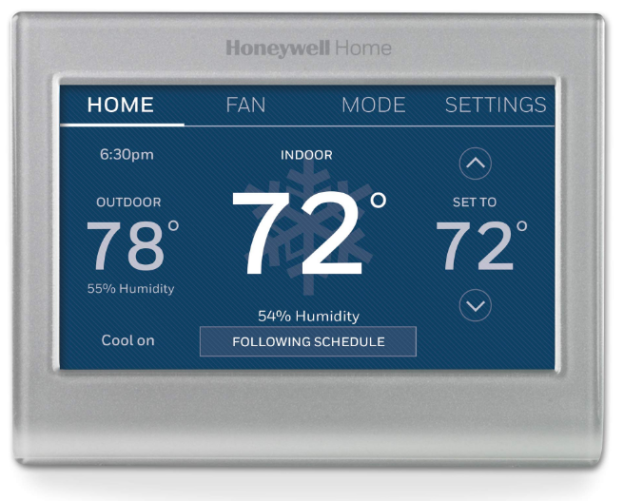
The Honeywell RTH9585WF is a Wi-Fi Smart Color Touchscreen Programmable Thermostat designed to provide convenient control over home heating and cooling systems. It features a color touchscreen, programmable temperature schedules, and Wi-Fi connectivity for remote access.
Download / Preview Manual
Honeywell RTH9585WF Product Specifications
| Specification | Details |
|---|---|
| Brand | Honeywell Home |
| Model | RTH9585WF |
| Product Type | Smart Thermostat |
| Display | Color Touchscreen |
| Connectivity | Wi-Fi |
| Programming | 7-Day Programmable |
| System Compatibility | Compatible 24V HVAC Systems |
| Power Requirement | C-Wire |
| Document Format |
Frequently asked questions
Q:Will my thermostat still work if I lose my Wi-Fi connection?
A: Yes, the thermostat will operate your heating and/or cooling system with or without Wi-Fi.
Q:How do I find the password to my router?
A: Contact the manufacturer of the router or check the router documentation.
Q:Why isn’t my thermostat connecting to my Wi-Fi router even though it is very close to the thermostat?
A: Verify that the password entered for the Wi-Fi router is correct
Q:My thermostat is unable to register to the Total Connect Comfort website.
A: Verify that the thermostat is correctly enrolled on your home Wi-Fi network. At SETTINGS > Wi-Fi Setup, check for the Wi-Fi signal strength icon. Verify that the Wi-Fi router has a good internet connection. On your computer, verify that you can open the site at mytotalconnectcomfort.com If you cannot open the site, switch off the internet modem for a few seconds, then power it back on.
Q:I registered on the Total Connect Comfort website but was unable to login using my new account.
A: Check your email and ensure that you received an activation email. Follow the instructions to activate your account and then login to the website.